What do you need to run a tournament on Discord?
Four things: a game, a channel, a way to collect entries, and a bracket. Discord hands you the first two for free. The other two are where organisers historically lose their evening — a pinned message filling up with names, a bracket drawn in a spreadsheet, and an awful lot of @-mentions chasing people for results.
Practically, you also need two decisions made up front. First, permissions: adding any bot to a Discord server requires the Manage Server permission, so if you are not an admin, line one up before the day. Second, who your organisers are — with BattleBot the person who creates a tournament can manage it, alongside server ambassadors and super users, so agree that before matches start rather than during a dispute.
Give the event its own channel. A dedicated #tournament channel keeps sign-ups and results out of general chat, and because each match runs in its own thread hanging off that channel, the channel stays readable even with sixteen games in flight.
Single elimination or first-to-X: which should you pick?
Single elimination is the default for good reason: it is the shortest path from a full bracket to a champion. One loss and a player is out, so a 16-player bracket is four rounds and fifteen matches, and the whole thing fits in an evening. The cost is that half your entrants play exactly one match and go home. If the point of the event is community fun rather than crowning someone quickly, that is a real cost, not a technicality.
First-to-X — a best-of series, where the first player to reach the win threshold takes the match — is still an elimination bracket, but every pairing plays a short series instead of a single game. It buys two things: less variance, so the better player usually wins, and more actual play per person. It costs time, because a first-to-three match can run three to five games.
A working rule: single elimination for quick weeknight events and larger fields, first-to-X for small fields, finals, or games where a single match can be decided by an unlucky opening. Double elimination and round robin are on the roadmap and are not available yet, so if you need a losers’ bracket today you will be running it alongside by hand.
How big should your bracket be?
BattleBot brackets are powers of two — 4, 8, 16, or 32 players — because the bracket is built by repeatedly halving the field, and any other number leaves byes to hand out. Larger brackets are on the roadmap.
The most common mistake is oversizing. A 32-slot bracket that attracts nineteen sign-ups either sits open past its start time or starts with gaps, and both feel like a failed event. Deliberately undersize instead: set 16, fill it, and run a second tournament next week off the momentum. A full bracket is the single best advertisement for the next one.
Budget the time before you commit to a size. Rounds, not matches, are what you wait on — every round takes as long as its slowest match. At roughly ten minutes a game, a 16-player single-elimination bracket is four rounds and about an hour with slack; the same field in first-to- three is closer to two and a half. Thirty-two players in a best-of format is an afternoon, not an evening.
When should you schedule a Discord tournament?
Announce it several days ahead and post the exact start time as a Discord timestamp — <t:1730000000:F> renders in every reader’s own timezone, which matters more than anything else on this page if your community spans more than one continent. “8pm Saturday” quietly excludes half your server.
Open registration well before the start rather than at it, so you can see whether the bracket is going to fill and can shrink it if not. And settle your no-show rule in the announcement: something like “you have five minutes from the start of your round”. Deciding that in advance turns awarding a walkover from a judgement call into bookkeeping.
How do you set up a tournament with BattleBot?
Five steps, and the whole thing takes about a minute once the bot is in the server.
- Add BattleBot to your server. Use the install link, choose your server, and approve the permissions Discord shows you. The commands appear immediately; there is nothing to configure.
- Run
/tournaments_create. The command takes no options — it opens a wizard. First choice is the game: BattleTabs, where matches are created and results tracked automatically, or “Another game” for anything else, where players report their own results. - Fill in the form. A pop-up asks for the tournament name and the number of players (4, 8, 16, or 32), plus the game’s title if you picked “Another game”.
- Choose the settings. The panel that follows is where you pick the format, and for integrated games the turn timer, setup time, and whether matches start automatically. Press Create.
- Open registration. BattleBot posts a message with a Sign Up button that shows how many spots are left. Players tap it — no command, no form, no DM. When the bracket fills it starts; if you would rather not wait, force it with
/tournaments_admin command: start_tournament.
Worth saying out loud: nothing here asks players to leave Discord, register on a website, or link an account, unless the game itself needs one. Today that is only BattleTabs, where each player links Discord from their account inside the game; every other game takes any member of your server. That is most of why sign-ups fill.
How do players play their matches and report results?
When the tournament starts, BattleBot generates the bracket and opens a private thread for each match containing the two players. Everything for that match happens in its thread: the pairing, the link to play where the game supports one, the result, and the confirmation. Nobody has to scroll a busy channel to find out whether it is their turn.
Reporting depends on the game. For BattleTabs the match is created for the players and the outcome is picked up automatically, so there is nothing to report. For every other game the winner taps the report button in the thread (or runs /report_result match: <id>), their opponent gets Confirm or Dispute, and confirming advances the bracket on the spot.
The two-tap confirmation is the important part. Self-reporting on its own is pure trust; requiring the loser to confirm makes a false claim visible instead of silent, and the Dispute button hands organisers a queue to work through rather than an argument in general chat.
How do you keep track while the tournament is running?
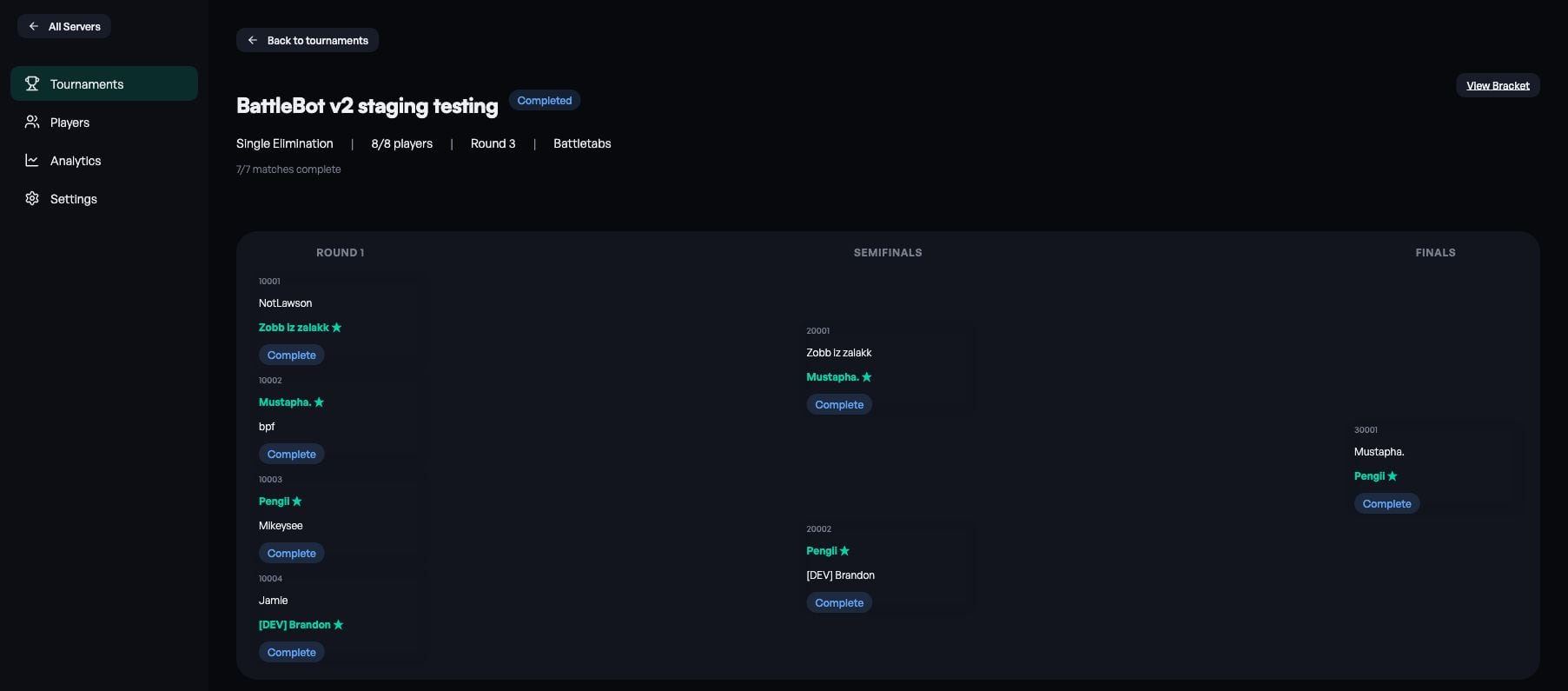
Ask. /ask request: what’s the status of the tournament? returns the current round and where it has got to; /ask request: show me all pending matches tells you exactly which pairings are holding the round up, which is the only number that matters while you are waiting to advance. Players use the same command for themselves — “who do I play next?” — which cuts most of the traffic that would otherwise land on you.
When a match is dragging, ask the assistant to send a reminder for that specific match rather than @-mentioning the whole channel. It reaches the two people who need it and nobody else.
How do you handle no-shows, disputes, and broken matches?
Every tournament has at least one. The principle is the same in all of them: never let a single broken match hold up a whole round. Resolve it, advance, apologise later if you got it wrong — a stalled bracket costs you the fifteen other people who are waiting.
The four things that actually happen
- Someone never turns up. Award the match to the player who did, with
/tournaments_admin command: finish_match_with_winnerand an @-mention of the winner. You can also just tell the assistant to disqualify the no-show. - The wrong result got confirmed. Restart it with
/tournaments_admin command: restart_match. If that match has already fed into later rounds, BattleBot asks you to confirm first, because restarting it clears those downstream matches too. - A best-of series needs to end early. Use the
finish_match_with_winner_overridevariant — it closes the series out instead of creating the next game in it. - Matches are stuck on Pending. That means the game’s API refused to create them. Run
/tournaments_admin command: retry_failed_battlesand they get another attempt.
A player who wants out while registration is open can remove themselves with /tournaments leave, which reopens their spot. Admins can add or remove anyone at that stage too, from the dashboard or by asking: “register @Player for Weekly Cup” or “remove @Player from Weekly Cup”.
Closed registration too early? Until round one starts you still have two ways back. Reopen Registration on /tournaments mine (or “reopen registration for Weekly Cup”) keeps everyone registered and rebuilds the bracket when you close it again. To swap a single no-show, replace them from the dashboard or with “replace @Player with @Sub in Weekly Cup”, and the substitute takes over the same bracket slot.
Once the tournament starts the bracket is fixed — a bracket with a hole in it cannot advance — so drop-outs after the start are handled as walkovers. The full command reference has the exact syntax for each of these.
How do you share the bracket with your community?
Every tournament gets a live page in the web bracket viewer, showing rounds, matchups, and results as they land. The link is public: anyone can open it, including people who are not in your Discord server, which makes it the thing to post on social media or in a partner server.
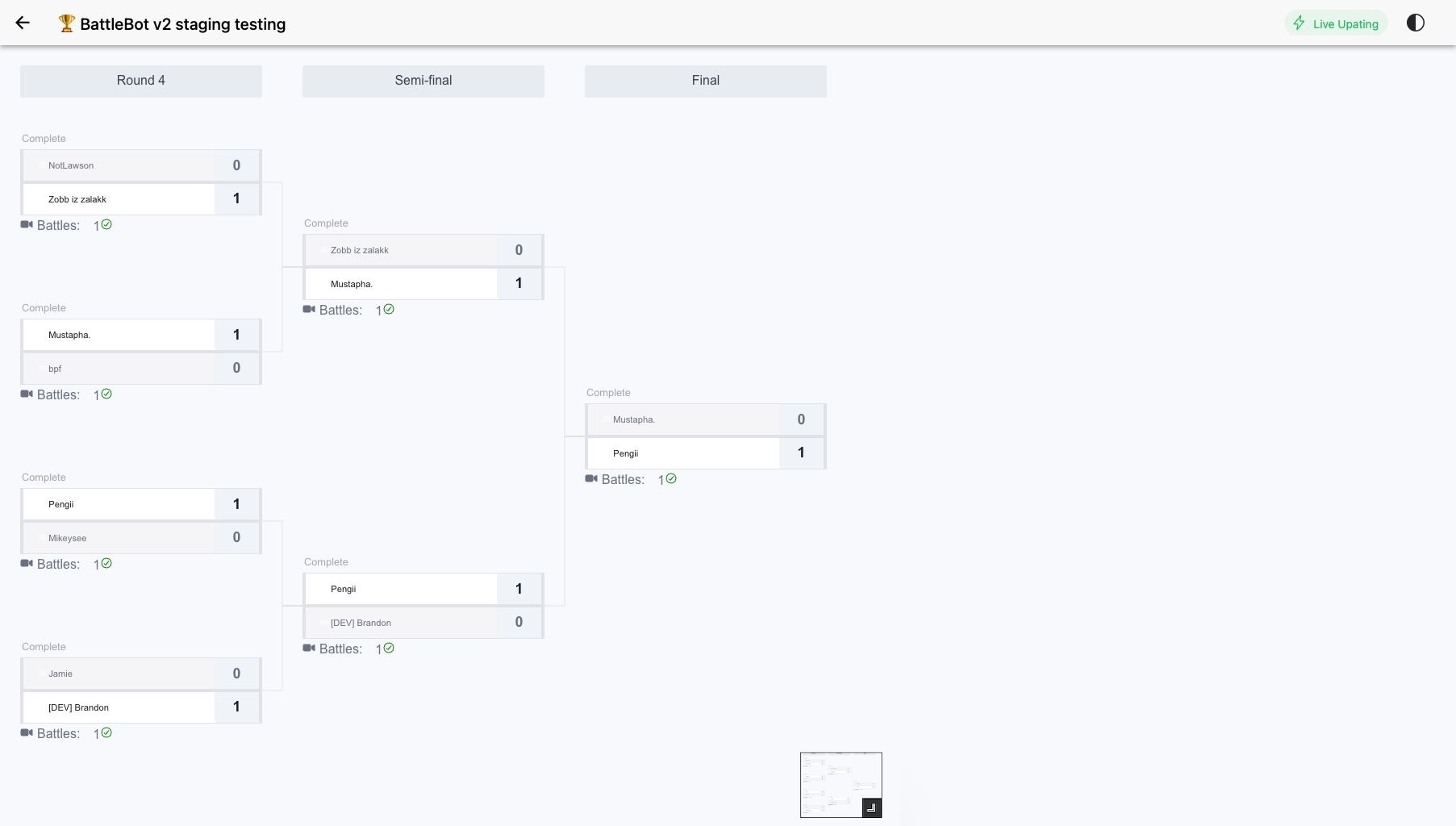
This is worth more than it sounds. A bracket everyone can watch gives the people who lost in round one — and the people who never entered — something to follow, and that spectator layer is most of what separates an event from a series of private matches happening in parallel.
Can you run a Discord tournament without a bot?
Yes — and for four or eight players you probably should. A pinned message for sign-ups plus a bracket in a free online generator or a spreadsheet works fine, costs nothing, and gives you complete control over formats no bot supports yet: group stages, seeding by rank, handicaps, unusual tiebreakers. Plenty of good community events run exactly like this.
What it costs is your attention. You are the one pairing players, chasing results, and redrawing the bracket after every round, and you are doing it while trying to play in your own tournament. There is also no shared memory: nobody can check who they play next without asking you, so every question routes through one person. At eight players and one hour that is manageable. At sixteen or thirty-two, or across a weekend, it stops being fun somewhere in round two.
So: run it manually when the field is small, the event is a one-off, or the format is unusual. Bring in a bot once the bracket is large, the event repeats, or you would like to actually compete in the tournament you are running.
More on BattleBot
- BattleBot command reference
Every command used in this guide, with who can run it and a worked example.
- BattleBot FAQ
Short answers on player limits, formats, permissions, and result reporting.
- The AI tournament assistant
Check status, chase matches, and run admin actions in plain English.